Status badges
Embed a live uptime badge on your own site.
A status badge is a small live image showing a monitor's recent uptime percentage — drop it on your website, a README, or an internal wiki so people can see how a service is doing without logging in. Badges are available on Pro, Business and MSP.
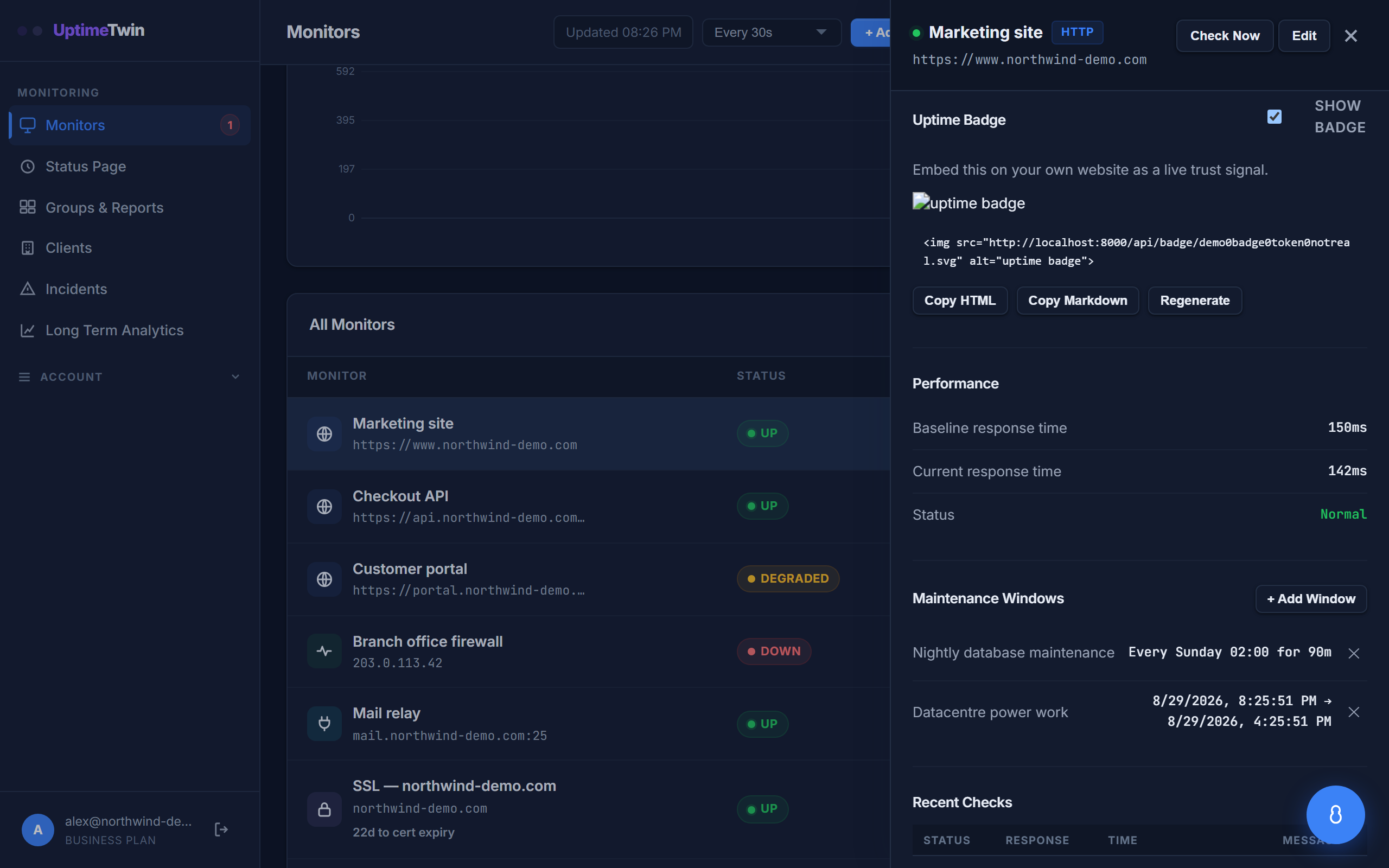 Turn the badge on and copy the snippet. Regenerate issues a new link and
immediately breaks the old one — useful if a badge URL ends up somewhere public
you didn't intend.
Turn the badge on and copy the snippet. Regenerate issues a new link and
immediately breaks the old one — useful if a badge URL ends up somewhere public
you didn't intend.
What it shows
The badge reads uptime and a percentage, worked out from the monitor's last 100
checks. Checks that fell inside a maintenance window are left out, so planned work
doesn't dent the number. The colour follows the figure: green at 99% or above, amber
from 95%, red below that. A monitor with no checks yet reads no data.
It's a lightweight, read-only view: it never exposes your account, the monitor's name, or its configuration. The image is cached for five minutes, so a status change shows up within about that long rather than instantly.
Adding a badge
Open a monitor, find its status badge, and copy the snippet into your page. That's all — the badge stays current on its own.
Good to know
- Badges suit public status displays and project READMEs.
- For a fuller picture — response times, history, uptime percentages — send people to your dashboard instead.
Get started
Related
Last updated 2026-10-12