The AI assistant
Automatic first-look troubleshooting when something goes down.
The AI assistant does the first round of troubleshooting for you. When a monitor goes down, it investigates and writes up what it found — so your first alert already comes with a head start instead of just "it's down".
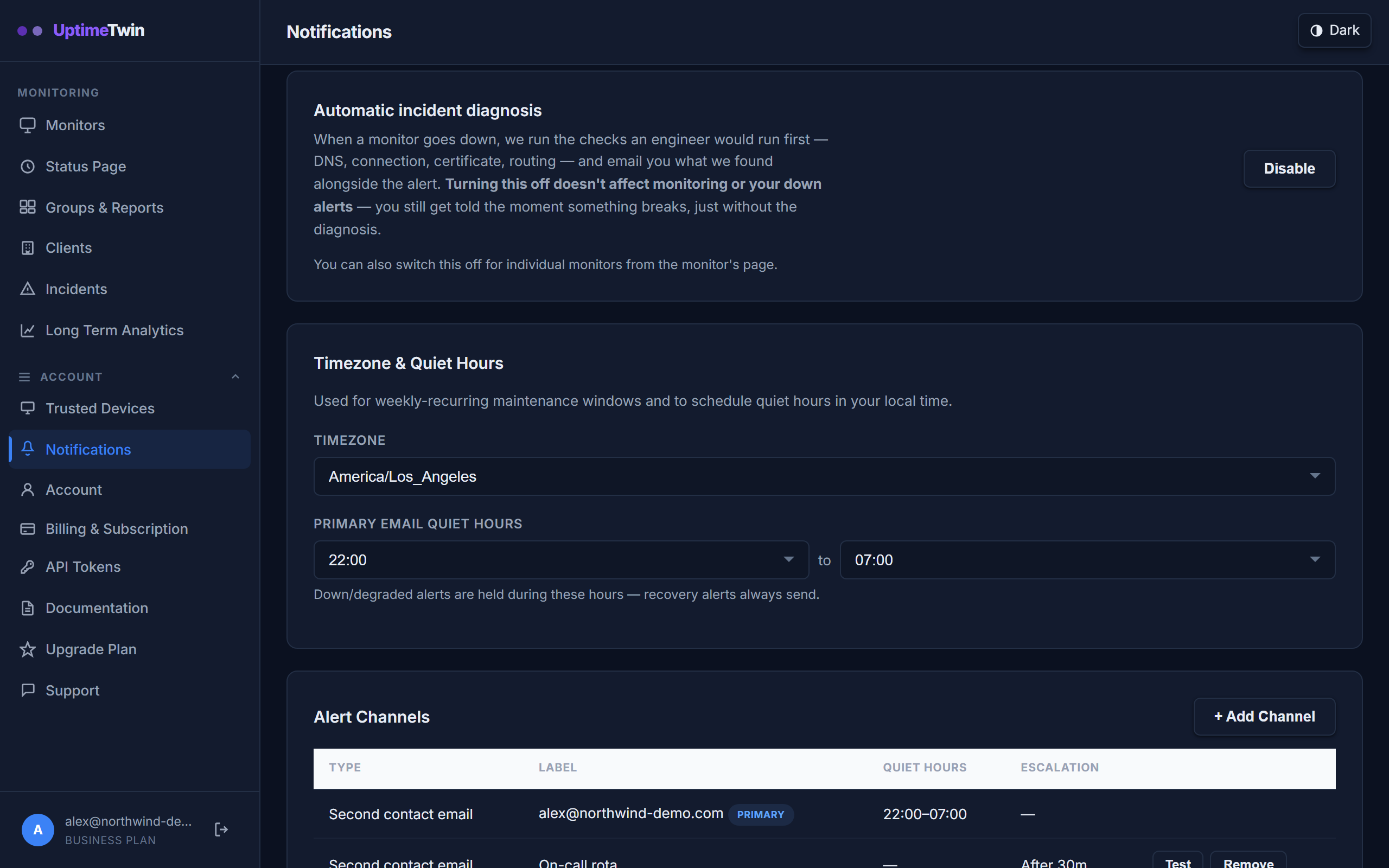 You can switch the diagnosis off for the whole account here, or for one noisy
monitor from that monitor's own panel. Either way your down alerts keep coming —
only the written diagnosis stops.
You can switch the diagnosis off for the whole account here, or for one noisy
monitor from that monitor's own panel. Either way your down alerts keep coming —
only the written diagnosis stops.
Automatic incident troubleshooting
When a monitor goes down the assistant looks at the failure — the error, recent history, and related signals — and emails a plain-language summary of the likely cause shortly after your alert. It's a first look, not a verdict, but it often points you straight at the problem.
Paid plans include a monthly allowance of these diagnoses, shown on the pricing page, with a daily limit, and each monitor gets at most three diagnosed outages and one diagnosed slowdown or flapping episode in any 24 hours. Allowances reset on the 1st of each month (UTC). The alert itself always goes out; past a limit, only the write-up waits. The Free plan includes 3 diagnoses a month, and during the account's first 14 days 25 starter AI uses on top, shared between these diagnoses and the interactive assistant below and used first: each diagnosis and each question you ask uses one. When they are all used, a confirmed outage still gets a one-line verdict (within daily limits), and the full write-up is kept on your Incidents page, locked, until you buy a one-time AI pack (25 uses for $5, shared, no expiry) or move to Hobby or above; either opens the locked write-ups you already have. Your monitors, incidents and down alerts carry on exactly as before either way. The MCP connector has its own Free allowance of 300 requests in the first 14 days. The Incidents page and the assistant panel both show what you have left.
Interactive assistant
The interactive assistant lives in the dashboard. Ask it about your monitors and recent incidents in plain language and it will pull the relevant details together for you, and it can propose changes that you confirm. Paid plans include a monthly allowance of questions, with a daily limit, separate from the diagnosis allowance. On the Free plan each answered question takes one of the 25 shared starter uses described above while they last, then one of the plan's 5 questions a month, then an AI pack use, and the panel tells you how many are left.
How it treats your data
The assistant only reads your own monitoring data to do its job, and it never makes changes to your monitors on its own — any change it suggests is yours to approve.
Get started
Related
Last updated 2026-10-17