How alerts work
When we alert, when we go quiet, and how recovery is detected.
UptimeTwin alerts you when something breaks and again when it's fixed — without burying you in noise. The goal is one clear message when a problem starts and one when it clears.
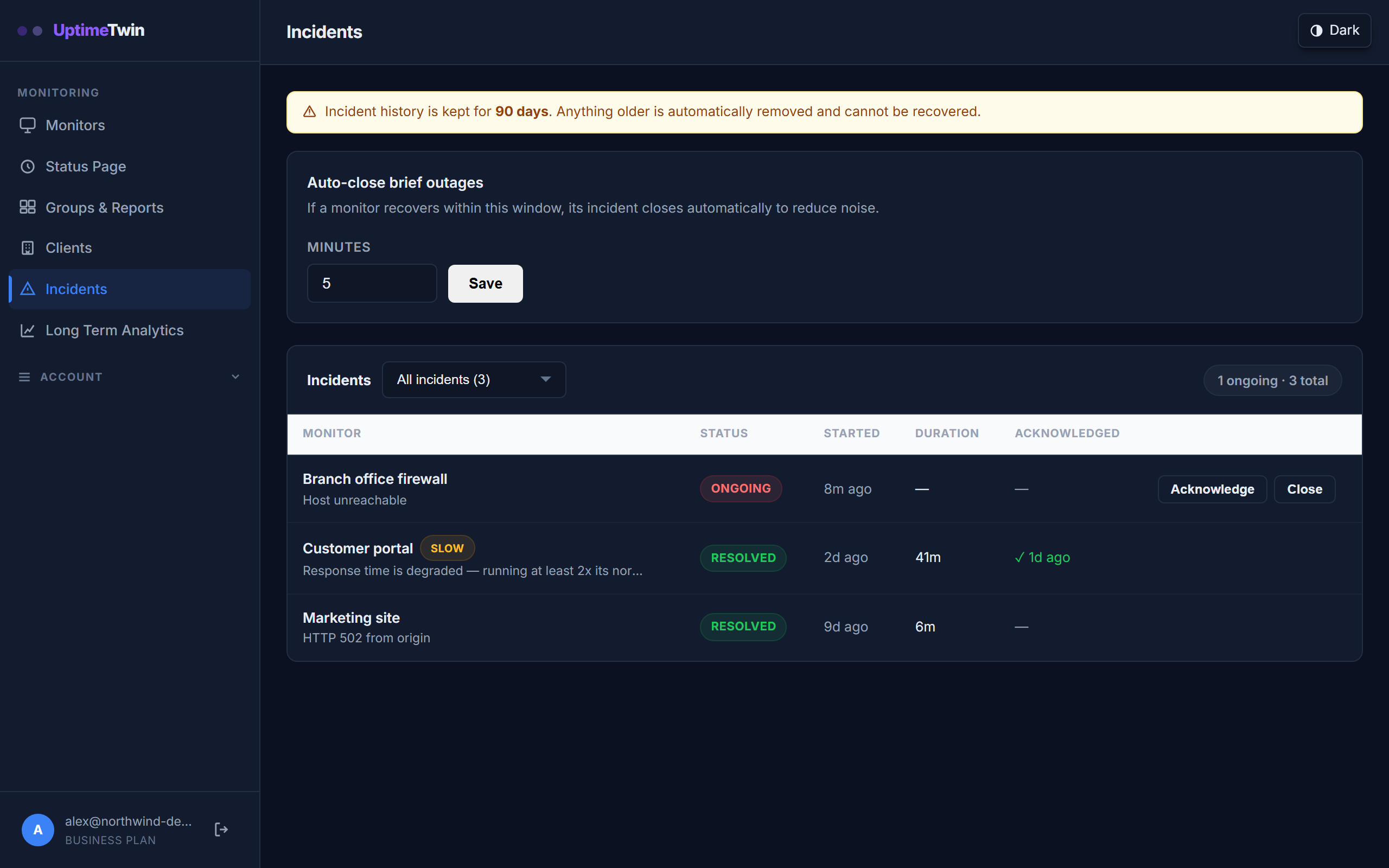 Every alert also becomes an incident, so you keep the history: what broke, how long
it lasted, and whether anyone acknowledged it.
Every alert also becomes an incident, so you keep the history: what broke, how long
it lasted, and whether anyone acknowledged it.
When an alert fires
A monitor is marked down only after it fails several checks in a row — how many is up to you (see alert thresholds). This filters out the momentary blips that don't mean anything, so you only hear about problems that actually stick.
Recovery
When the service passes checks again, the monitor flips back to up and you get a recovery notification, so you always know a problem is resolved without having to check yourself.
No spam, but never silent
While a problem is ongoing you won't get repeated alerts, and we don't re-notify you about an outage that is still open: one alert when a monitor goes down, one when it recovers. On Business and MSP plans you can add a second contact, paged once if nobody has acknowledged the incident within the delay you set.
Certificate and domain expiry are the exception, because they're a countdown rather than an outage: while an SSL or domain monitor is inside its warning window you get a reminder each day until it's renewed. If it does expire, that becomes an ordinary down alert.
Degraded, flapping and throttled
- Degraded — the service is up but responding much slower than its normal baseline. On Pro and above we flag it so you can look before it turns into an outage.
- Flapping — also Pro and above: a monitor whose response time keeps swinging between slow and normal within the hour. This is about speed, not up/down flips. Rather than mail you on every swing, we mute the degraded and recovered alerts and record a single flapping incident instead, until it settles.
- Throttled — the service answered, but told us we were making too many requests. That is not an outage: the site is up and declining us, so it is recorded for your history and never pages you. It mostly shows up on very large sites that rate-limit automated traffic — see check intervals for how we handle those.
Quiet periods
To silence alerts during planned work without pausing the monitor, use a maintenance window.
Get started
Related
Last updated 2026-09-09