Account security
Passwords, two-factor authentication, and managing your account.
Your monitors and alerts are only as secure as your login. UptimeTwin gives you strong password rules, optional two-factor authentication, and full control over your account and data.
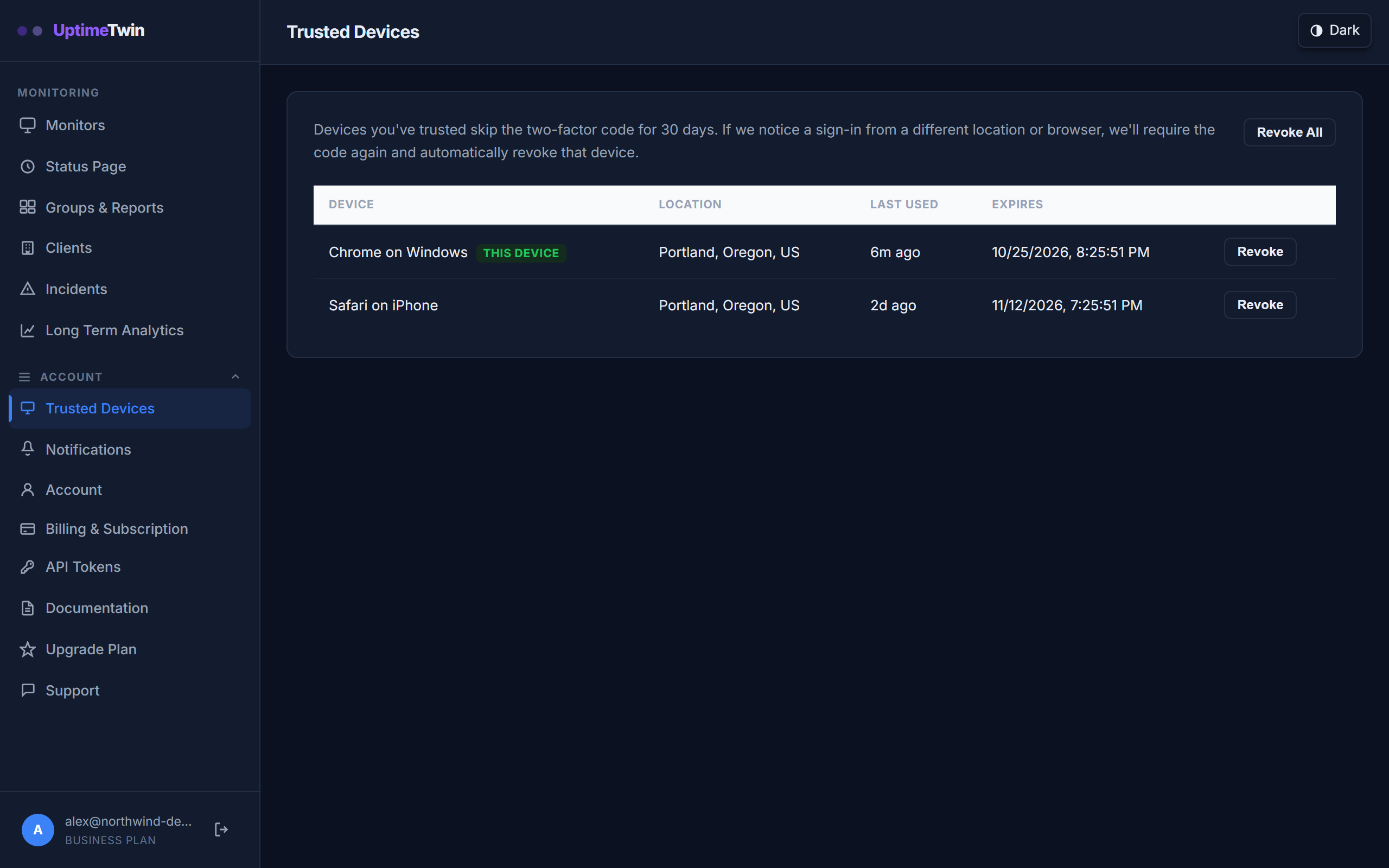 Every device that has completed two-factor login is listed here. If you don't
recognise one, revoke it — that device then has to pass two-factor authentication
again. Revoke All is the one that also ends every session already signed in.
Every device that has completed two-factor login is listed here. If you don't
recognise one, revoke it — that device then has to pass two-factor authentication
again. Revoke All is the one that also ends every session already signed in.
Passwords
New passwords must be at least 10 characters, and we check them against known breached-password lists so you can't reuse one that's already compromised. Choose something long and unique.
Two-factor authentication (2FA)
Turn on two-factor authentication from your account settings for a second layer of protection. Once enabled, you'll enter a code from your authenticator app when you sign in. You can mark a device as trusted so you're not prompted every time.
Trusted devices
Trusting a device saves you re-entering a code on it for 30 days. Settings lists every trusted device, and gives you two different tools:
- Revoke on one device removes that device's trust, so it has to complete two-factor authentication again the next time it signs in. It does not end a session that is already signed in there.
- Revoke All is the one to use when a device is lost or out of your control. It revokes every trusted device and ends every signed-in session — this browser and the Windows app included — so everything has to sign in again.
Signing in
You can sign in — or create your account in one step — with your email and password, or with Google or GitHub. Signing in with either of those uses the verified email from that account, so there's no separate email-confirmation step.
Managing your account and data
- Update your email, password, and 2FA any time from settings.
- You can delete your account yourself from settings. Deletion runs after a short grace period so an accidental request can be undone, and it cancels any active subscription and removes your data.
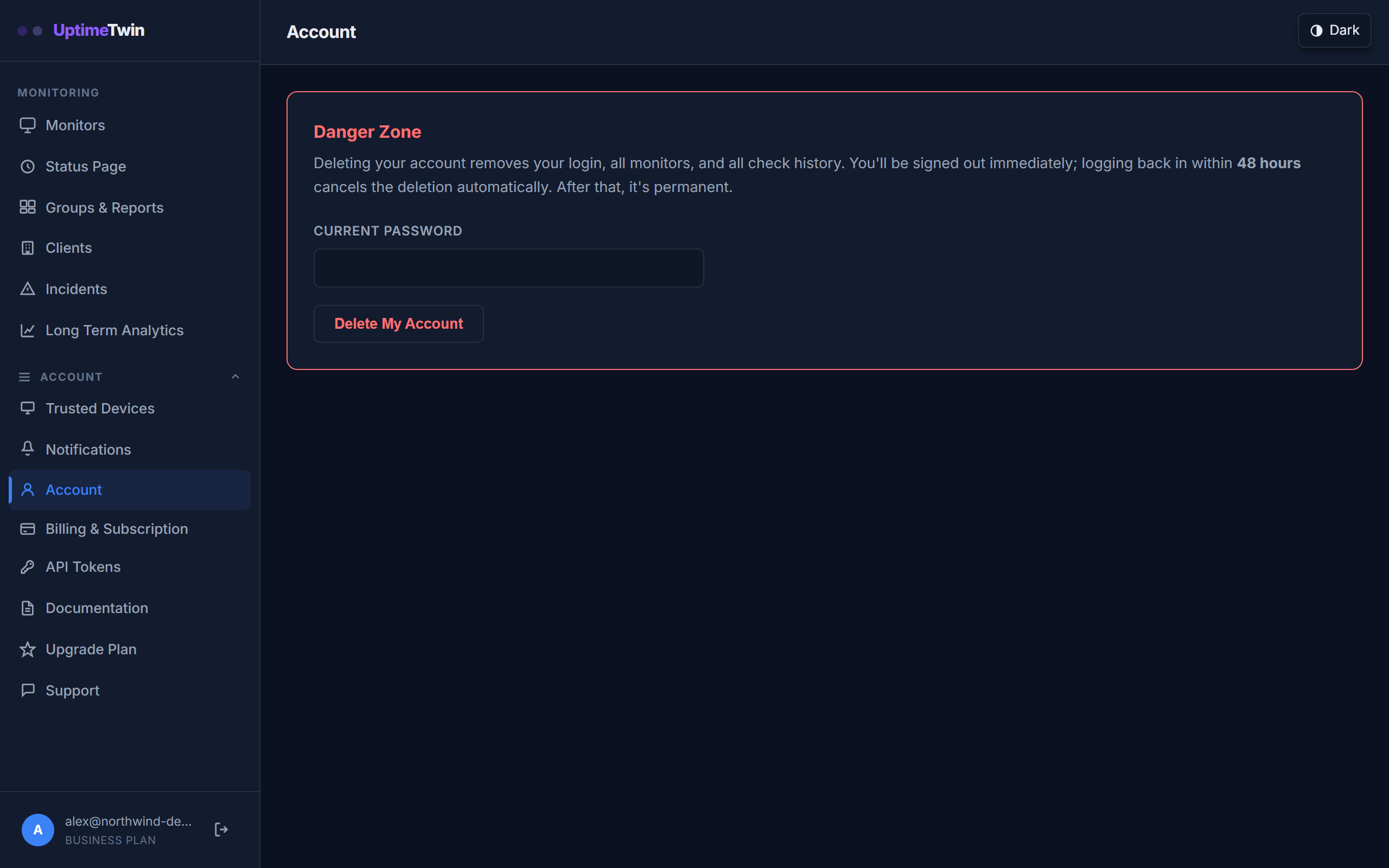 Deletion asks for your password and then waits. Signing back in during the grace
period cancels it; after that it's permanent.
Deletion asks for your password and then waits. Signing back in during the grace
period cancels it; after that it's permanent.
Get started
Related
Last updated 2026-09-09